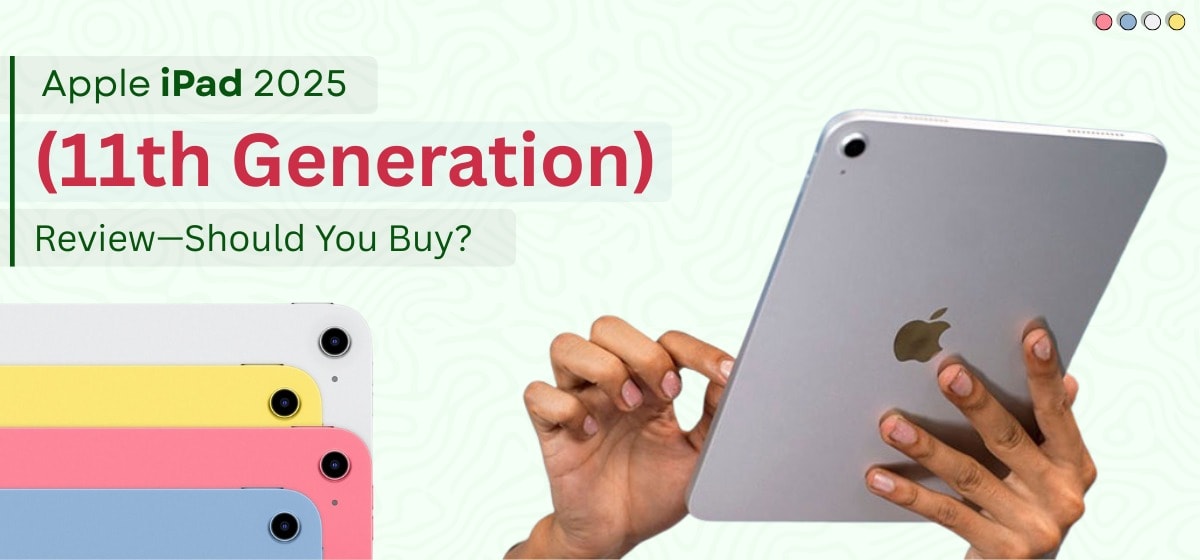
Apple iPad 2025 11th Gen Review for the UK Is It the Right Buy
UK and want a new iPad that doesn’t rinse your budget, the Apple iPad 2025 (11th generation) is the model most people should start with
If you live in the UK and want a new iPad that doesn’t rinse your budget, the Apple iPad 2025 (11th generation) is the model most people should start with. Apple hasn’t reinvented its entry tablet this year, but the combination of the A16 chip and a doubled base storage of 128GB at a starting price from £329 But On zextons is £299.99 keeps it squarely in the “easy recommendation” camp for students, families and anyone who spends more time streaming, browsing, studying and note‑taking than rendering 8K timelines. The few trade‑offs no Apple Intelligence, a glossier non‑laminated display, and USB‑C at USB 2.0 data speeds are the very levers Apple uses to nudge creators and power users up to the iPad Air. For the rest of us, the value is strong, and crucially, the UK situation on price, education discounts, returns, and consumer‑law protection is favourable if you buy smart.
Price and what it actually means in Britain
Apple lists the iPad 11‑inch (A16) from £329 in the UK. But On Our store You can get Apple iPad 2025 Brand New in £299 Pound That entry price now brings 128GB as standard, which solves the storage squeeze that used to plague base iPads. You can step up to 256GB or 512GB if you work with lots of offline video or large apps, and you can choose Wi‑Fi only or Wi‑Fi + Cellular (the latter uses eSIM no physical SIM tray). If you’re a student, teacher or staff, the Apple Education Store typically trims the price and sometimes throws in seasonal extras; verification is straightforward via UNiDAYS. We always advise checking the Our Store Because on our store we give Discount + Discount Coupon codes that will help you to getting apple ipad in Less price then other retailers first for the benchmark price, then comparing against retailers such as John Lewis, Currys, Amazon UK and Argos for bundles or extended cover.
What you’re getting under the glass
The essentials are refreshingly clear. The display is Apple’s familiar Liquid Retina IPS panel at 2360×1640 marketed as 11 inches though the exact diagonal is 10.86 inches running at 60Hz with True Tone. It’s bright enough for most indoor scenarios (Apple rates it at up to 500 nits), crisp for reading, and colour‑accurate for sRGB content. Audio still surprises for the price: landscape stereo speakers with decent clarity for personal viewing. The step‑up displays on Air and Pro earn their keep outdoors: the base iPad’s screen isn’t laminated and lacks the anti‑reflective coating, so expect more reflections and a slightly “air‑gap” feel under the Pencil compared with the Air’s “ink‑on‑glass” vibe. Indoors, however, the panel is perfectly pleasant for revision, BBC iPlayer, YouTube and Disney+
Day‑to‑day performance in the UK context
Powered by A16 (with a 5‑core CPU/4‑core GPU/16‑core Neural Engine), the 11th‑gen iPad is exactly as quick as most buyers need. iPadOS 18 runs smoothly, apps open promptly, and split‑screen note‑taking with Safari on one side and Notes or Google Docs on the other feels frictionless. If you’re using it for university lectures, lesson planning, lesson observations, Teams calls, Canva, light photo tweaks and Apple Arcade games, it stays snappy and cool. Where you’ll notice the limit is in heavy creative projects—multi‑layer Photoshop, big LumaFusion timelines, piles of RAW photos—where iPad Air (M‑series) stretches its legs and the iPad Pro goes ballistic. But if your UK use looks like schoolwork, commuting on the Tube, sofa streaming and a bit of hobby editing, A16 is the right chip at the right money.
iPadOS 18 is lovely; Apple Intelligence isn’t here
With iPadOS 18, you get mature multitasking, Picture‑in‑Picture, excellent first‑party apps and a sea of education tools. The notable omission on this model is Apple Intelligence—Apple’s on‑device AI features are reserved for M‑series iPads (and newer iPhones). That means no system‑wide Writing Tools or the new Siri on the 11th‑gen iPad. It’s not a deal‑breaker for most buyers because you can still use ChatGPT, Gemini or Copilot as apps.
Battery life and charging for a British routine
Apple fits a 28.93‑watt‑hour cell and quotes up to 10 hours of web or video on Wi‑Fi (around 9 hours on cellular). In practical British terms, that’s a full day on campus or at the office, or a long train journey with Netflix and offline Spotify playlists. Charging is via USB‑C, and while the port is USB 2.0 for data (up to 480 Mb/s)—which can be slow for huge media libraries most UK buyers will sync via iCloud, AirDrop, or a laptop anyway. For media imports, a USB‑C card reader or a powered hub does the trick.
Cameras and video calls that suit UK working patterns
The front camera sits on the long edge and supports Center Stage, which is exactly where you want it for Teams, Zoom, Meet and FaceTime—especially on a stand or keyboard case. It keeps you framed if you shift in your chair or get up to grab a cuppa. The 12MP rear camera shoots 4K up to 60fps for document scans, lab demos or quick clips. Audio from the built‑in mics is tidy for calls, and the speakers have enough projection for a small room. For YouTubers and professional editors the iPad Pro still wins; for most UK homes and classrooms, this is spot‑on.
Apple Pencil and keyboard compatibility (with UK buying advice)
The 11th‑gen iPad works with Apple Pencil (USB‑C) out of the box, and it still supports Apple Pencil (1st generation) if you use the USB‑C to Apple Pencil Adapter to pair and charge. For typing, Apple’s Magic Keyboard Folio is the premium option with a trackpad and function row, but there are excellent British‑layout third‑party cases that cost much less. For students, we recommend a simple stand‑or‑folio case, Pencil (USB‑C), and a compact Bluetooth keyboard you can chuck in a backpack. Creatives who draw for hours will appreciate the laminated, anti‑reflective screen and Pencil Pro support on iPad Air that’s where your money buys comfort rather than just speed.
Connectivity that makes sense in the UK
All models include Wi‑Fi 6 and Bluetooth 5.3. If you choose Wi‑Fi the USmodel is eSIM‑only (no physical SIM card slot). But at the moment on Our Store you can get U.S Version Wifi Only. The good news is that eSIM is widely supported in Britain; check Apple’s carrier list before you choose a plan, but the big networks and many virtual operators are covered. On the move, 5G is sub‑6GHz, which is what we use in the UK anyway. The iPad also supports one external display up to 4K/60 via USB‑C—great for a docked desk setup at home.
External displays and desk setups (what to expect)
When you plug this iPad into a monitor, think of it as a single 4K/60 output for mirroring or app‑specific views, not a full Mac‑style multi‑display workspace. You’ll need the right cable or a USB‑C hub (HDMI/DisplayPort) and, ideally, power pass‑through if you’re working long sessions. If your day involves a lot of external‑screen productivity, the iPad Air’s extra headroom and display polish make desk life nicer, but the base iPad handles a tidy UK home office just fine.
UK‑specific value: education savings, trade‑in, returns and your legal rights
Here’s where buying in the UK gets better. First, students and educators can use Apple Education Pricing at checkout handy for a few extra quid off, especially on accessories like Pencil. Second, Apple’s Trade In programme lets you hand over an older iPad or iPhone for credit against your new purchase (trade‑in values vary by condition and model, so check the estimate on Sell.zextons.co.uk For Best price ). Third, the Zextons Tech Store UK return window is 30 days to notify, and Zextons then gives you another 30 days to send it back and this sits alongside your UK consumer‑law rights, not instead of them. Under the Consumer Contracts Regulations, online purchases enjoy a 14‑day cooling‑off period with another 30 days to return once you’ve told the retailer, and your Consumer Rights Act protections apply if goods are faulty or not as described. If you pay by credit card and something goes badly wrong with the retailer, Section 75 can make your card provider jointly liable for purchases over £100 a powerful safety net when you’re buying tech.
How it compares in Britain: iPad vs iPad Air vs iPad Pro
If you’re torn between the three, here’s the UK‑centric reality. The iPad (11th gen) is your “sensible default”: new silicon, 128GB base, Pencil and keyboard support, and a price that leaves budget for accessories.Step up to iPad Air if you work under bright office lights or outdoors a lot, want Apple Intelligence, or prefer the laminated/anti‑reflective display and Pencil Pro support; that’s the model that feels crafted for degree courses in design, architecture and media. The iPad Pro becomes the right answer when the display itself (HDR, high refresh, superior lamination), top‑tier performance and pro accessories are how you earn your living. For everyone else in the UK—from GCSE and uni students to busy families the base iPad’s price‑to‑capability ratio is exceptionally hard to beat.
Real‑world UK use cases (how it fits into life here)
For a student in Manchester, the base iPad slots into lectures and seminars with split‑screen for slides and notes, Pencil for annotations, and Teams for tutorials. Battery easily survives a day on campus, and the landscape camera means you’re properly framed on calls rather than peering from the wrong edge. For a family in Birmingham, it’s a living‑room streamer that doubles as a homework machine, with Touch ID making quick logins painless and Screen Time helping keep things balanced. For a commuter in London, the combination of Wi‑Fi 6, optional 5G eSIM, and USB‑C fast charging from a power bank means the iPad is both your Kindle alternative and your Netflix box on the Jubilee line. And for a small business or teacher, a cheap USB‑C‑to‑HDMI dongle plus a compact Bluetooth presenter makes impromptu training sessions in community halls or classrooms surprisingly easy.
Where Zextons recommends spending (and saving) in the UK
If you’re buying the iPad 11th gen for study or general use, 128GB is finally viable. Go 128GB if you’ll download films for offline travel, shoot 4K video for projects, or install chunky creative apps. We’d prioritise Apple Pencil (USB‑C) before a keyboard if you’re a student because it transforms revision, marking‑up and maths/physics note‑taking. If you type essays regularly, a British‑layout Bluetooth keyboard and a stand‑case is often better value than Apple’s keyboard folio, and you can keep the desk ergonomics you like. If you live under bright lights or outdoors, consider the iPad Air purely for the laminated, anti‑reflective panel it’s kinder to your eyes over long stints. For creators who rely on Apple’s new on‑device AI, skip straight to Air because this iPad doesn’t support Apple Intelligence.
The UK fine print Zextons customers ask us about
Shoppers here often ask whether Apple still puts a charger in the box with iPads. For recent iPads, you get a USB‑C cable and (in the UK) a 20W power adapter is generally included though Apple’s exact in‑box contents can vary by model/year, so double‑check the listing at the point of purchase. Returns at Apple are straightforward within the 14‑day window, and you can arrange courier collection if needed; just notify Apple within the period and you’ve another 14 days to send it back. If you buy from third‑party UK retailers, check their policy carefully and remember your statutory rights apply regardless of what a retailer’s web copy suggests distance‑selling rules are the law, not a “nice to have”. If you want accidental damage cover, Gadgets n repair offers UK support and repair options (with excess fees depending on the damage type) always check the latest terms and pricing for Britain.
Why Choose Apple iPad 2025
If you want the best‑value new iPad in the UK, the Apple iPad 2025 (11th gen, A16) is the default recommendation. It feels fast on iPadOS 18, the 128GB base finally relieves storage anxiety, Center Stage is excellent for calls, and the price from £299 leaves room in the budget for Pencil (USB‑C) or a case. The compromises are sensible: no Apple Intelligence, a more reflective non‑laminated screen, and USB 2.0 speeds over USB‑C. If those matter to you—especially the display and Apple’s AI—buy the iPad Air; otherwise, this iPad is the one we’d tell most UK buyers to get, especially students and families who want a device that just does the job day in, day out.
Why choose Zextons Tech Store (UK)?
UK-based, customer-first support. Talk to real people who understand UK networks, accessories, and after-sales needs.
New & refurbished options. Pick the iPad 11th Gen new — or save with a professionally refurbished alternative from our range of Apple devices.
Transparent warranties.Brand-new devices: 1-year warranty.Refurbished devices: up to 18-month warranty — so you’re covered longer.
Fast UK delivery.Free next-day delivery across the UK on eligible orders, because waiting days for tech is no fun.
Hassle-free returns.30-day returns for total peace of mind if plans change.
Budget-friendly checkout.Buy Now, Pay Later options available at checkout to spread the cost.
Extras that matter.Free charging cable, free protection bundle on selected lines, and a free SIM to get you started.
Sustainable choice. Every purchase helps us plant a free tree — and choosing refurbished reduces e-waste.
Carefully inspected devices. Our refurbished stock is tested, graded, and cleaned — so you know exactly what you’re getting.
One-stop shop. From phones, tablets, laptops, watches, and game consoles to cases, cables, and screen protectors — kit your setup in one go.
Ready to buy? Chat with Zextons for the best UK price, delivery windows, and the right accessories for how you use your iPad.
Final Verdict Should you buy the iPad 2025 (11th gen) in the UK?
Buy it if your priorities are price, reliability and battery: students taking notes with Apple Pencil (USB‑C), families streaming and browsing, office workers who want a sofa‑friendly second screen that still handles Docs, Teams, Slack and email without breaking a sweat. It’s the new default choice and the one we’d put into most baskets at Zextons Tech Store in the UK. Wait or step up to iPad Air if you want Apple Intelligence, a laminated/anti‑reflective display, or you work with more demanding media. Jump to iPad Pro if every minute of render time counts and you need the best display Apple makes. Either way, the 11th‑gen iPad has put the entry tier back where it belongs: great value for money in Britain.
FAQs — Apple iPad 2025 (11th Gen) & Zextons (UK)
Q1) Does the iPad 2025 (11th Gen) support Apple Intelligence?
No. Apple Intelligence features aren’t supported on the A16-based iPad. If you specifically want Apple’s on-device AI, consider iPad Air or iPad Pro.
Q2) Which Apple Pencil works with the 11th-gen iPad?
It supports Apple Pencil (USB-C) directly, and Apple Pencil (1st gen) with a USB-C to Apple Pencil Adapter.
Q3) Is 128GB enough storage for students or everyday users?
For browsing, streaming, notes, and typical apps, 128GB is fine. If you’ll store lots of offline videos, edit 4K clips, or keep big project files, consider 256GB (or 512GB).
Q4) What’s the UK starting price?
Apple lists the 11-inch iPad (A16) from £329 but at zextons 299.99 in the UK. Retailer pricing can vary — Zextons can advise on current offers and bundles.
Q5) Does it connect to an external monitor?
Yes. It can drive one external display up to 4K/60 via USB-C (use a compatible cable or hub).
Q6) How’s battery life in real use?
Apple rates it up to 10 hours of web/video on Wi-Fi (about 9 hours on cellular). That’s a school or office day for most users.
Q7) Is the screen laminated or anti-reflective?
The base iPad’s screen is non-laminated and doesn’t have Apple’s anti-reflective coating. It’s great indoors; the iPad Air is better under bright light.
Q8) What about USB-C speeds?
The port is USB 2.0 for data (up to 480 Mb/s). For big libraries, AirDrop, iCloud, or transferring via a computer may be quicker.
Q9) Does the cellular model use a physical SIM?
It uses eSIM (no physical SIM tray). Most major UK networks and many MVNOs support eSIM.
Q10) What accessories should I buy first?
For students: Apple Pencil (USB-C), a folio/stand case, and (if you type essays) a UK-layout Bluetooth keyboard. Add a tempered glass protector for durability.